
The system installation defines the steps that will verify that the system is correctly installed and ready for the on-site factory tests before the system is brought on-line. This chapter describes how to install the AADvance® system hardware into the chosen enclosure.
Unpacking and Preassembly Checks
The components are packed to make sure they arrive undamaged and ready for assembly. Nevertheless, you should inspect all modules before beginning the assembly work.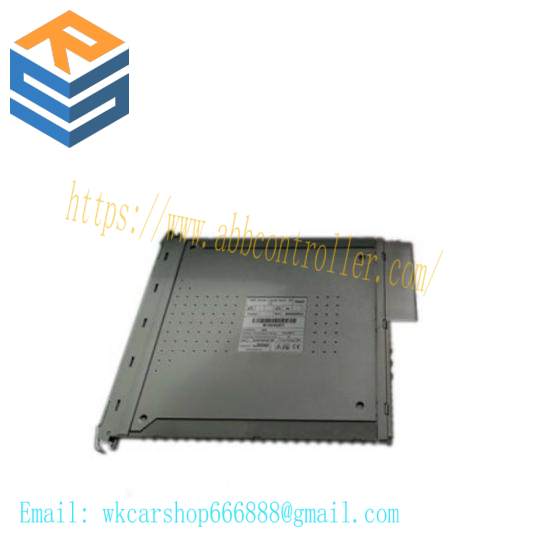
On receipt, carefully inspect all the shipping cartons for damage.
• If any cartons are damaged, note the damage on the carrier’s shipping document before signing it. Save any damaged cartons for inspection by the carrier.
• If any part of the delivered components has been damaged during shipping, notify the carrier and Rockwell Automation immediately.
Damaged goods must be returned Rockwell Automation for repair or replacement (see Warranty and Returns instructions with delivery documentation).
Install Base Units and Termination Assemblies: Enclosure DIN Rail Assembly Method
The following illustration shows how to it the backplanes on to Din rails and use the retaining clips and leverto hold them in position.
For a system build that uses DIN rails do the following:
1. Install the DIN rails.
• The AADvance controller will be mounted onto one or more pairs of parallel DIN rails. For each pair ofrails, mount the lowerrail with its center line 101.0mm below the center line of the upper rail. M5 thread rolling screws are suitable.
2. Mount the T9100 processor base unit
• Place the T9100 processor base unit onto the DIN rails and position it towards the left, leaving space for the T9300 I/O base units to the right.
• Secure the processor base unit onto the DIN rails by sliding the retaining lever(below the base unit) to the left.
3. Mount each T9300 I/O base unit
• Place a T9300 I/O base unit onto the DIN rails to the right of the T9100 processor base unit.
• Slide the I/O base unit to the left until the joining connectors are fully mated.
• Insert the retaining clips at the top and bottom of the base units.
• Secure the I/O base unit onto the DIN rails by sliding the retaining lever (below the base unit) to the left. Then insert the backplane clips into the top and the bottom slots.
4. Mount end stops onto DIN rails.
Install two end stops onto the upper DIN rail, one at each end of the assembly.
Fitting Termination Assemblies
• Insert the retaining clip on the back of the termination assembly into the slot on the I/O base unit. Press the termination assembly onto the baseunit and then slide the assembly upwards as far as it will go.
• Make sure the retaining tab clips over the printed circuit board to secure the termination assembly in position.
2. Check coding pegs.
• Observe the legend on the T9100 processor base unit (and repeated on some termination assemblies) which defines the six possible positions for a coding peg. The positions are numbered from 1 to 6.
Connect the AC Safety Ground Connection
The T9100 processor base unit has a ground stud which must be connected to the AC safety ground. Connect the ground stud to the AC safety ground busbar of the system or panel.
• Conductor wire must be a minimum of 12 AWG (3.31 mm2) with a temperature rating of 85 ºC.
• Use a M6 lug on the end of the ground wire.
• Place the lug below the second nut on the ground stud, between two washers, and use two 10mm wrenches to tighten the nuts to a torque of 1.2 Nm to 2 Nm (0.88 lb./ft. to 1.48 lb./ft.).
Refer to the photograph of the 24 Vdc Power Connectors the earth stud is shown between the two powerleads.
Related product recommendations:
Fanuc A06B-6105-H001RJ3
ABB 3BSE011181R1 PM511V16
DAIHEN UM356B L21700M03
Vacon PC00459G – CM210901
NI PCI-6111
Bently Nevada 330103-00-03-10-02-05
ABB 1SAP250300R0001
Reliance Drive Module 0-57652-E
A-B 6176M-19VN
Yokogawa 5458-050
Schneider Electric 990XCP98000
Honeywell 51402497-200
Allen Bradley 440T-MKEXE16
A-B 80026-381-08
Honeywell 51304163-300MODEM
ABB 3BSC610067R1
Rexroth PPC-R02.2N-N-NN-P2-NN-FW
Allen Bradley 1746-OV32
ABB 3HNA015717-001
More…



Leave a comment
Your email address will not be published. Required fields are marked *